

Contents
- 1 ShadPS4 Emulator: The Definitive PC Experience
- 2 Essential Mods and Tools for the Ultimate Bloodborne PC Experience
- 3 Hardware Requirements: Can Your PC Run Bloodborne Smoothly?
- 4 Legal Guide: How to Play Bloodborne on PC Without Breaking the Law
- 5 Troubleshooting & Tips for Smooth Gameplay
- 6 Conclusion:
- 7 FAQs
- 7.1 1. Can I play Bloodborne on PC in 2026 without owning a PS4?
- 7.2 2. What is the best way to run Bloodborne smoothly on PC?
- 7.3 3. Can I play Bloodborne on PC with low-end hardware?
- 7.4 4. How can I fix crashes or glitches while playing on PC?
- 7.5 5. Do I need to install mods to enjoy Bloodborne on PC?
If you have been waiting to experience Bloodborne free download on your PC, 2026 is finally your year. For a long time, fans of this iconic Soulslike from FromSoftware had to rely on PS4 consoles or limited streaming options to step into the dark streets of Yharnam. Now, thanks to high-level emulation, Bloodborne is no longer restricted to consoles. You can play the game from start to finish on your own PC with smooth performance, enhanced graphics, and a more stable experience than ever before.
You have two main options to enjoy Bloodborne on your PC. The first is the ShadPS4 emulator, which has seen major updates this year. It allows you to run the game at 60FPS, upscale to 4K if your hardware supports it, and apply essential patches that fix glitches and improve stability. The second option is PlayStation Plus Premium streaming, which lets you play without worrying about setup or mods, though it comes with limitations like capped frame rates and potential input lag.
In this blog, you will find a complete guide to Bloodborne PC. You will learn how to set up the ShadPS4 emulator safely, which mods and tools can give you the best visuals and gameplay experience, the PC hardware you need for smooth performance, and how to enjoy the game legally. Whether you are a seasoned hunter returning to Yharnam or a new player curious about the game, this guide will help you get the most out of your Bloodborne PC experience in 2026.
ShadPS4 Emulator: The Definitive PC Experience
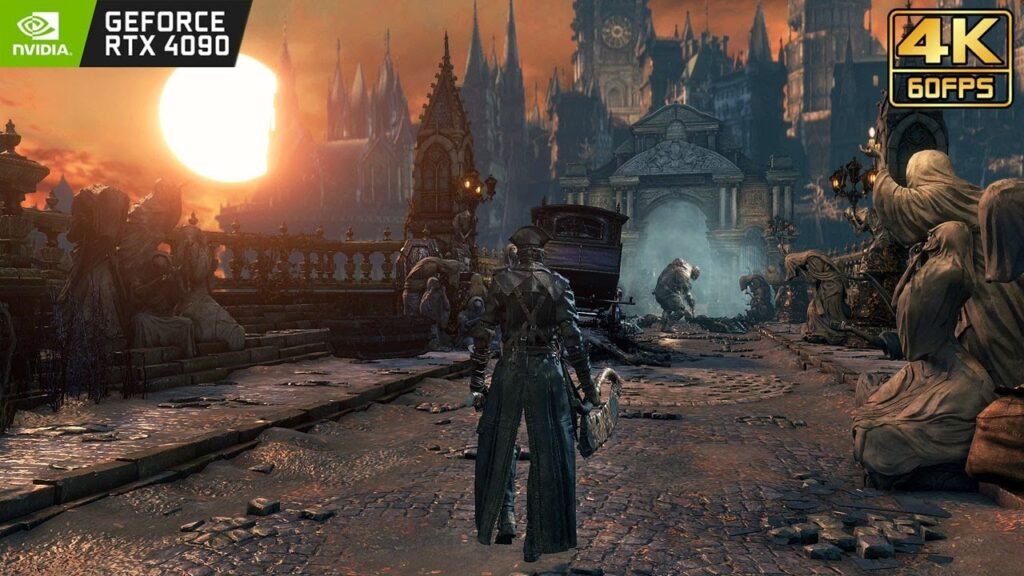
If you want to play Bloodborne on PC, the ShadPS4 emulator is now the most reliable and powerful solution. In 2026, this emulator has reached a breakthrough that makes the game truly playable from start to finish. Unlike earlier versions, which were prone to crashes, graphical glitches, and severe performance issues, the latest ShadPS4 version gives you a smooth and stable experience that rivals the original PS4.
Performance on ShadPS4 is impressive. With a modern GPU like an RTX 3060 or better, you can run Bloodborne at a locked 60FPS at 1080p or 1440p. If you have a high-end setup, such as an RTX 4080 or similar, the game can even reach 4K at 60FPS. This means you can enjoy sharper visuals, smoother motion, and a more immersive experience while exploring the dark streets of Yharnam. Using the ShadPS4 setup guide, you can configure the emulator to get the best frame rate without causing instability or breaking the game’s physics.
Stability has also improved significantly in 2026. One of the most notorious problems, the vertex explosion bug, where character models would stretch or distort uncontrollably, has been largely solved. Community patches combined with emulator updates provide a reliable vertex fix that ensures your characters and environments render correctly. Model rendering issues that caused clipping or visual artifacts are now minimal, giving you a more consistent gameplay experience.
ShadPS4 has also begun experimenting with online features. You can now see messages left by other players, and ghost sightings are appearing in Yharnam, which adds a small layer of social interaction to your hunt. While full multiplayer or co-op is still in alpha testing, these features hint at the potential for a more connected experience in the future.
Overall, the 2026 updates to ShadPS4 make it the go-to choice for playing Bloodborne on PC. By following the ShadPS4 setup guide, applying the vertex fix, and configuring your system for optimal performance, you can enjoy a version of Bloodborne that is both stable and visually impressive, all while staying within legal boundaries if you use your own PS4 game files.
Essential Mods and Tools for the Ultimate Bloodborne PC Experience
To get the best Bloodborne free download for pc experience in 2026, you will want to use the BB Launcher. This tool acts as a central hub for all essential mods and patches, making it easier for you to manage your game and customize it for smooth performance and improved visuals. Instead of manually applying each mod, BB Launcher helps you organize, enable, and update them quickly, saving time and reducing errors.
One of the most important mods available through BB Launcher is the 60FPS and Physics Patch. This patch unlocks a stable 60 frames per second gameplay, giving you a much smoother experience than the original PS4 version. Importantly, it also maintains the game’s physics, so clothing, cloth, and environmental interactions remain realistic. This means you can enjoy high-performance gameplay without breaking the visual or mechanical integrity of Bloodborne.
Another key feature you can enable through BB Launcher is Chromatic Aberration Removal. On PC screens, the original PS4 version often shows a subtle blur or color fringe around objects. Removing this effect gives you a crisp and clear visual experience, letting you appreciate the detailed environments of Yharnam. The difference is especially noticeable on high-resolution monitors or 4K displays.
Save Management is also a critical tool for playing safely on PC. Emulation can sometimes crash unexpectedly, and losing your progress can be frustrating. BB Launcher allows automatic backup of your save files, ensuring you can recover quickly if something goes wrong. You can also auto-find corrupted saves or hidden issues, so your game always runs smoothly, and you never lose hours of progress.
With BB Launcher, you have everything you need to manage mods, apply essential fixes, and enhance your gameplay in one place. By taking advantage of auto find features and the recommended patches, you can optimize Bloodborne on your PC for the best combination of performance, visuals, and stability.
Hardware Requirements: Can Your PC Run Bloodborne Smoothly?
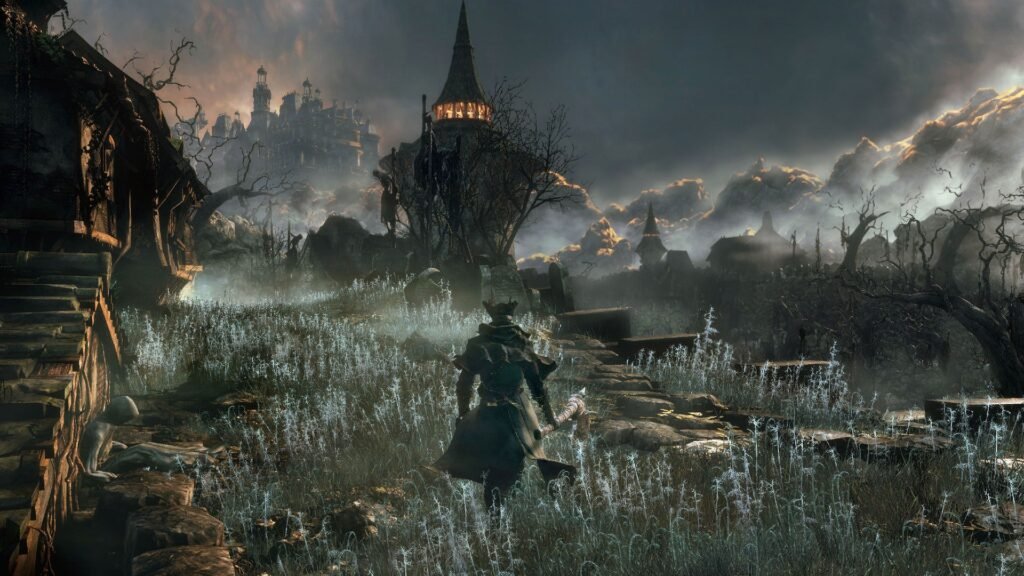
If you want to enjoy Bloodborne on PC with smooth performance, it is important to understand the hardware requirements for different resolutions and frame rates. The game demands more from your system when you aim for higher settings, but with the right setup, even mid-range PCs can provide a satisfying experience.
For 1080p at 60FPS, the minimum hardware you need includes a modern CPU such as a Ryzen 5 7600 or Intel i5-13600, paired with a GPU like the RTX 3060 or RX 6700 XT. You should also have at least 16 GB of RAM and 8 GB of VRAM. This setup allows you to run Bloodborne smoothly with most mods enabled and the 60FPS patch applied.
If you want the ultimate experience at 4K/60FPS, you will need higher-end components. Recommended CPUs include the Ryzen 7 9800X3D or Intel i9-14900K, combined with powerful GPUs like the RTX 4080 or RTX 5070 Ti. You will also need at least 32 GB of RAM and 12 GB or more of VRAM to handle the increased load from 4K textures, high-resolution mods, and graphical enhancements such as Chromatic Aberration Removal.
Even if you don’t have a high-end rig, there are ways to optimize performance. You can reduce rendering resolution slightly, disable unnecessary visual effects, or adjust emulator settings for performance mode instead of quality mode. Using mods wisely and keeping your drivers updated can also improve frame rates without compromising stability. Additionally, auto find tools in BB Launcher can help detect settings or patches that improve performance for your specific system.
By matching your hardware to the right settings and applying optimization tips, you can enjoy a smooth and visually impressive Bloodborne PC experience, whether you are aiming for 1080p/60FPS or pushing your system to 4K/60FPS.
Legal Guide: How to Play Bloodborne on PC Without Breaking the Law
Playing Bloodborne on PC through emulation can be exciting, but it is important to follow legal steps to stay safe and respect copyright rules. The first requirement is that you must own a legitimate PS4 copy of Bloodborne. This can be a physical disc or a digital purchase from the PlayStation Store. Once you have your copy, you need to dump your own PKG files from the PS4. Using files from other sources is illegal and could put you at risk, so make sure you only use your own game files when setting up the ShadPS4 emulator.
When downloading the ShadPS4 emulator, it is essential to get it only from official sources. The official GitHub page for ShadPS4 ensures that you have a clean, secure version of the software without any malware or modified code. Avoid third-party websites, as they may offer unsafe or altered versions that could harm your PC or compromise your game experience.
You will also need PS4 firmware keys and system files to initialize the emulator. These should come from your own PS4 console. Using keys from other sources is illegal and could prevent the emulator from running correctly. By following the legal method, you ensure that your Bloodborne PC experience is safe, reliable, and fully compliant with copyright laws.
If your PC is not powerful enough for emulation, there is a legal alternative: PlayStation Plus Premium streaming. This option allows you to play Bloodborne on your PC without setting up emulators or mods. The setup is simple, and you can start playing immediately with just an internet connection. However, there are trade-offs. Performance is capped at 1080p and 30FPS, which is lower than what emulation can achieve. You may also experience input lag depending on your internet speed, which can affect precision in combat. Despite these limitations, streaming offers a convenient and fully legal way to enjoy Bloodborne on PC.
By following these legal steps, whether through emulation or streaming, you can experience Bloodborne on your PC safely and confidently while enjoying the best possible performance your system allows.
Troubleshooting & Tips for Smooth Gameplay
When you play Bloodborne on PC through emulation, you may sometimes face crashes or graphical glitches. The good news is that in 2026, most common issues already have known solutions. You can auto-find fixes by using built-in tools inside the BB Launcher or by checking emulator logs generated by ShadPS4. These logs help you identify the exact error, such as a missing patch, outdated firmware, or incorrect configuration. Instead of guessing, you use structured troubleshooting steps to solve the issue quickly and safely.
If your game crashes at launch, first confirm that your PKG dump and PS4 firmware keys are correctly installed. Many crashes happen because of incomplete game files or incorrect setup. Following a trusted ShadPS4 setup guide can help you review each step. You should also verify that your GPU drivers are updated and that your antivirus is not blocking emulator processes. BB Launcher can auto-find incompatible mod combinations and suggest safe defaults to reduce instability.
Sync issues and rendering problems are also common in early emulation builds. You may notice audio desync, delayed animations, or minor texture flickering. In most cases, adjusting emulator settings such as V-Sync, frame pacing, or shader compilation mode can fix these problems. Rendering glitches, including leftover vertex distortion or lighting artifacts, can often be solved by applying the latest community vertex fix or updated graphics patches. Staying active in trusted forums allows you to monitor new patch releases and performance improvements.
To ensure a stable 60FPS experience, you need a balanced configuration. First, enable the 60FPS and Physics Patch through the BB Launcher to unlock smooth frame rates without breaking gameplay mechanics. Second, adjust resolution scaling according to your GPU capacity. Running at 1080p instead of 1440p may give you a more stable frame rate on mid-range hardware. Third, avoid stacking too many visual mods at once, as this increases CPU and GPU load.
For long play sessions, it is also wise to enable automatic save backups. Emulation is stable in 2026, but rare crashes can still happen. With proper save management and optimized settings, you reduce risk and protect your progress.
By using auto find diagnostic tools, keeping your emulator updated, and applying verified community patches, you can maintain a smooth and stable Bloodborne PC experience. With the right configuration, you enjoy consistent 60FPS gameplay, minimal glitches, and a professional-level setup that supports long-term play.
Conclusion:
At this point, you have two clear options to experience Bloodborne on PC. The first option is high-end emulation using ShadPS4. This path gives you the best visual quality, unlocked 60FPS gameplay, resolution scaling up to 4K, and access to community tools like BB Launcher, vertex fix patches, and performance tweaks. If your hardware meets recommended PC system requirements, emulation delivers a premium and highly customizable experience.
The second option is PlayStation Plus Premium streaming. This method is simple and requires almost no setup. You do not need to configure firmware, dump PKG files, or manage patches. However, streaming is limited to 1080p at 30FPS and may introduce input lag depending on your internet connection. While it is convenient, it does not provide the same smooth performance or graphical clarity as a properly configured Bloodborne PC emulation setup.
No matter which option you choose, you must follow legal methods. Always use your own PS4 copy of Bloodborne, dump your own game files, and download the ShadPS4 emulator only from official sources. Respecting copyright rules protects you from legal risks and ensures a clean, stable installation. If you prefer zero technical setup, PlayStation Plus remains the safest official solution.
Your final decision should depend on your PC specifications and your expectations. If you have a strong CPU, a modern GPU, at least 16 to 32 GB of RAM, and sufficient VRAM, emulation is the recommended path for a true 60FPS Soulslike experience. If your system is low-end or you want immediate access without configuration, streaming is a practical alternative.
In 2026, Bloodborne PC is no longer just a wish. With the right hardware, correct setup, and legal approach, you can fully explore Yharnam with smooth performance, improved visuals, and a stable gameplay environment tailored to your system.
FAQs
1. Can I play Bloodborne on PC in 2026 without owning a PS4?
No, to play Bloodborne legally on PC through emulation, you must own a physical or digital PS4 copy of the game. You need to dump your own PKG files from your PS4 and use your own firmware keys. Using game files from other sources is illegal and can cause errors.
2. What is the best way to run Bloodborne smoothly on PC?
The best experience comes from using the ShadPS4 emulator with the 60FPS and Physics Patch. This setup unlocks stable 60FPS gameplay, fixes vertex and rendering issues, and allows resolution up to 4K if your hardware supports it. BB Launcher helps manage mods and ensures stable performance.
3. Can I play Bloodborne on PC with low-end hardware?
Yes, but with limitations. PlayStation Plus Premium streaming is the best option for low-end PCs. It allows you to play without configuring emulators or mods, but performance is capped at 1080p/30FPS, and you may experience input lag depending on your internet speed.
4. How can I fix crashes or glitches while playing on PC?
You can auto find fixes using BB Launcher or ShadPS4’s built-in diagnostic tools. Common solutions include applying vertex fix patches, updating GPU drivers, adjusting emulator sync settings, and using save management to prevent data loss. Following the official ShadPS4 setup guide also helps avoid crashes.
5. Do I need to install mods to enjoy Bloodborne on PC?
Mods are not required, but they improve your experience. The 60FPS and Physics Patch is essential for smooth gameplay, while Chromatic Aberration Removal enhances visuals. BB Launcher also helps you auto-find hidden fixes and manage mods safely, ensuring your game runs at its best.